
FAQs.
The acronym always had traction in the digital marketing world. Now in the age of AI, FAQs are all the rage, especially when used to gain visibility on AI platforms.
FAQs on a service page. FAQs on their own page. A burger with a side of FAQs…
Okay, maybe I’m joking, but the point I’m buzzing around is: there is more to creating an effective FAQ than you might think. Because when approached the wrong way, website FAQs can become an eyebrow-crunching, cringe fest.
Having played in the realm of FAQs for a while, our team pulled together our best advice for creating optimized FAQs: what to do and what to avoid with a 39 ½-foot pole.
What FAQs Should Not Be
As you may have guessed, an FAQ (whether a standalone page or just a section) is not meant to be brag time and can impede on customer experience if not executed just right. An FAQ should not be…
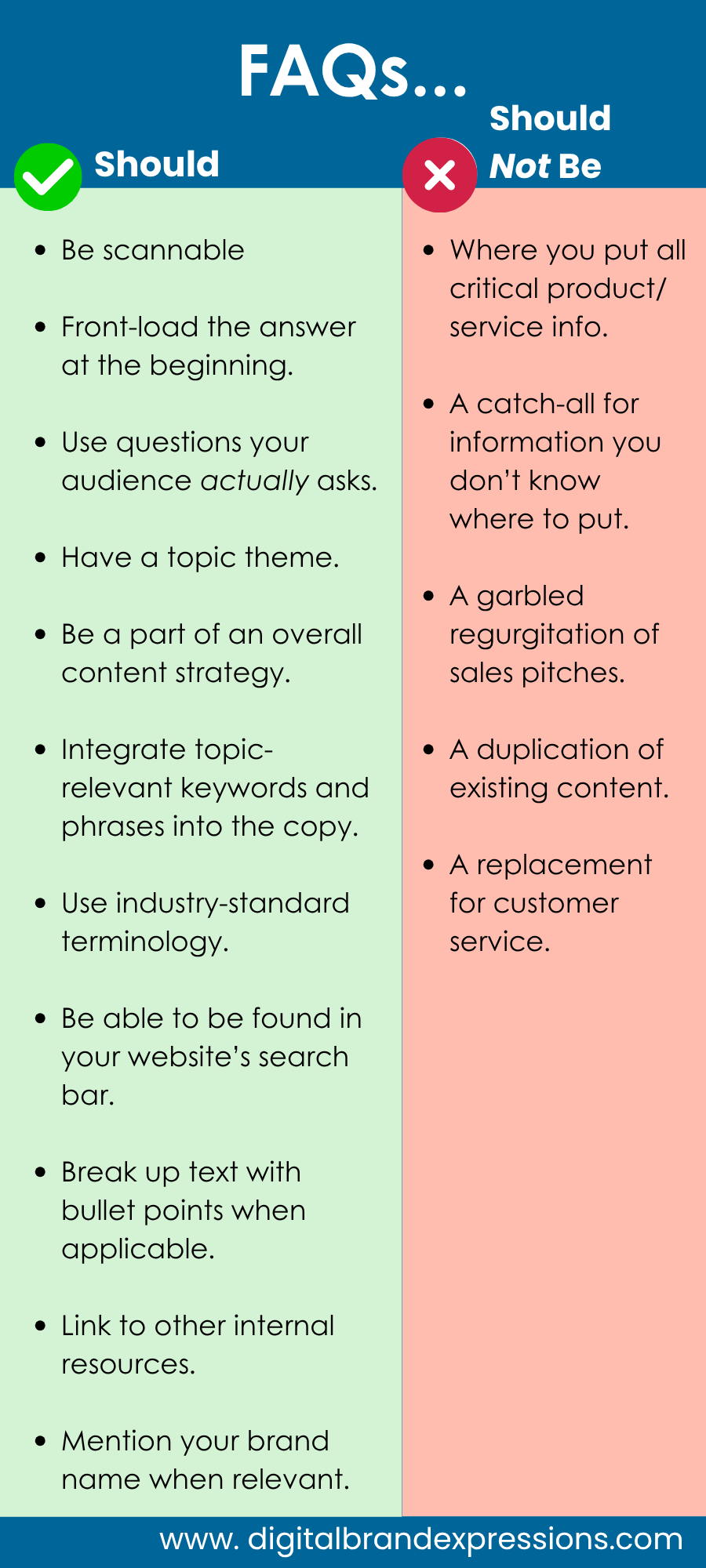
- Where you put all critical product/service information. People shouldn’t have to dig to find out crucial information — it should be prominently displayed.
- A catch-all for information you don’t know where to put. FAQs should follow a theme overall. If the information is important for people to know, find the best way to lay that out in your website content and navigation.
- A garbled regurgitation of sales pitches in question form. These FAQs should be questions the consumers are actually asking. (Think back to the intro.)
- A duplication of existing content. You want people to go to your beautifully designed website content first. Duplicating the content takes away that user experience if people stumble on your FAQ first.
- A total replacement for customer service. Sure, it can be helpful to troubleshoot, but please have a place where customers can connect with you.
What FAQs Should Be
Now that we’ve passed the no-no’s, your FAQs should:
- Be scannable. No one wants to read a jumbled answer.
- Have the answer front-loaded at the beginning. If there is more detail, add it at the end. This makes it easier for the reader and bots to pick up the gist for results and citations.
- Use questions your leads and customers actually ask. You can generate ideas from your sales team (top strategy), prompt AI for popular questions, use 3rd-party tools, and more to research relevant FAQs.
- Have a topic theme relevant to the page they’re on. If you make a generic FAQ page, your audience can get bored or frustrated searching for their answer.
- Be a part of an overall, curated content strategy. An FAQ page can serve as a great format thought-leadership content. Choose a topic and answer questions your audience is asking. This ideally should be a high-value blog post for your ideal audience. I.e., “Common Dog Training FAQs, Answered by Dog Trainers” (Again, see our post on FAQ question research!)
- Integrate topic-relevant keywords and phrases into your copy. You can use Google Keyword Planner to scout out popular terms to see how people talk about their problems and your brand’s solutions.
- Use industry-standard terminology while explaining terms/concepts that may be new to the audience.
- Be able to be found in your website’s search bar. If it’s a popular question, people may search for it directly, especially in the age of AI chatbots.
- Break up text with bullet points when applicable. Make your data chunk-able, just like an AI chatbot does.
- Link to other internal resources. Might as well boost your internal linking SEO while you’re at it!
- Mention your brand name when relevant in question answers, but don’t overly stuff it for the sake of including it. Mentioning your brand name helps bots establish the connection between the knowledge information and your brand but using it too much will only turn off the reader.
Where to Put an FAQ
To answer the question of where to put your FAQ, you must think of how many questions you have and the theme of the questions.
Lower Section of a Page
Use case: You feature all your relevant, purchase-driving information at the top of your page in an easy-to-read, well- written way. BUT you would like to feature 3-5 super-relevant, commonly asked questions to help enhance the understanding of your offerings.
FAQ Section Top Tips:
- If you only have 2 questions, you may not need this section at all. The answers can be creatively answered in the page’s content.
- These sections can benefit from accordion-/toggle-style design, so it doesn’t muddy the page with too much text.
- Make sure the questions are completely relevant to the theme of the page.
- Don’t duplicate content already featured on that page. If it is important information, it should be featured prominently.
A Standalone SAIO-Optimized Page
Use Cases: Think of this in 2 ways: 1. You’ve got a list of questions where you can really emphasize your thought leadership on a specific topic or 2.You have a longer list of vetted popular product/service questions that follow a specific theme.
FAQ Page Top Tips:
- Clearly stick to your topic, so you can optimize that page’s tags and titles for SEO/SAIO.
- Organize your questions in a natural progression. If the questions follow an order, keep them organized in that way. If your questions can be separated into sub-headers, do that!
- Code the questions as headlines (H2s/H3s). If you just have questions, make the questions H2s. If you group the questions under sub-headers, the sub-headers will be H2s and the questions will be H3s.
Bonus: In a Video With a Transcript
Use Case: If you make a video answering the questions, that’s great. Be sure to include a transcript on the video platform (i.e., YouTube) and on the featured webpage.
Video FAQ Top Tips:
- The transcript can be designed as a toggle/accordion for design/space preservation on the webpage.
- Mark the questions as timestamps/chapters in YouTube, so search engines and AI bots can pull up specific sections easily.
- The video itself should be engaging and informative. Users should see a benefit in watching the video.
The Wrap-Up on FAQs
When executed well, FAQs can be helpful for reader understanding and gaining relevant search visibility. These tips and tricks should help keep you on the right track!